



 MCP Server
This document was translated by ChatGPT
#1. First eBPF MCP Server Officially Released
Based on eBPF technology, DeepFlow provides zero-code-intrusion full-stack observability data for cloud-native applications, covering core features such as the universal service map, distributed tracing, and continuous profiling. With the rapid development of AI agent technology and its deep integration into developer workflows, observability tools are facing the challenge of integrating with the AI ecosystem. We are officially releasing the eBPF MCP Server (https://github.com/deepflowio/deepflow/tree/main/server/mcp). The current version focuses on providing continuous profiling capabilities, enabling various AI agents to directly obtain fine-grained, function-level performance analysis results.
Model Context Protocol (MCP) is an open protocol launched by Anthropic, designed specifically for standardized interaction between AI models and external tools. MCP defines a unified interface specification with significant advantages: standardized interfaces, ecosystem interoperability, and inherent scalability.
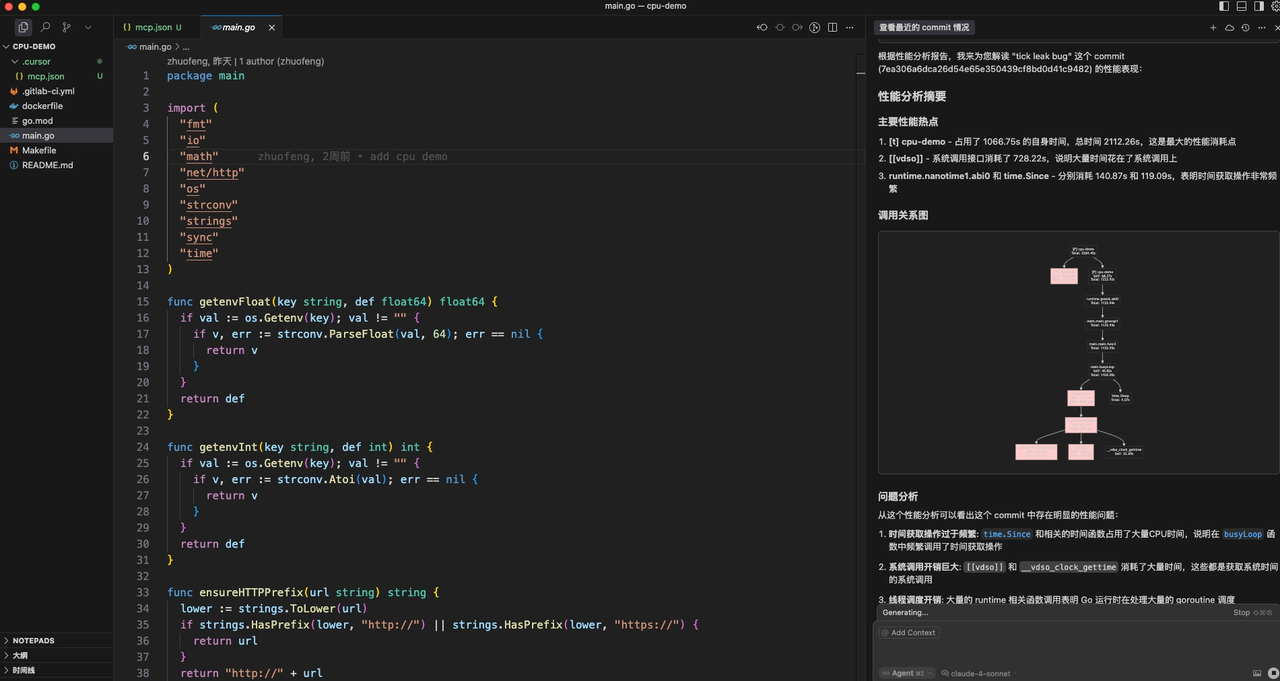
eBPF MCP Server
#2. Hands-on Demo - Performance Analysis in AI Coding
We demonstrate the practical application of DeepFlow MCP Server in an AI-augmented development environment by building a Go application with typical performance bottlenecks. This demo simulates common performance degradation issues in production environments and shows how Cursor can directly call DeepFlow MCP Server via the MCP protocol to obtain continuous profiling results. The entire technical workflow covers the complete analysis chain — from detecting performance anomalies, identifying hotspot functions, correlating with code changes in a specific commit for root cause analysis, to finally outputting actionable, code-level optimization suggestions.
AI Coding Hands-on Demo (opens new window)
#3. Get Started Now - Complete Cursor Integration Guide
The integration guide uses a K8s environment as an example.
Step 1 Deploy DeepFlow in the application runtime environment
Deploy DeepFlow (refer to the deployment documentation (opens new window)) and enable the continuous profiling feature (refer to the configuration documentation (opens new window)).
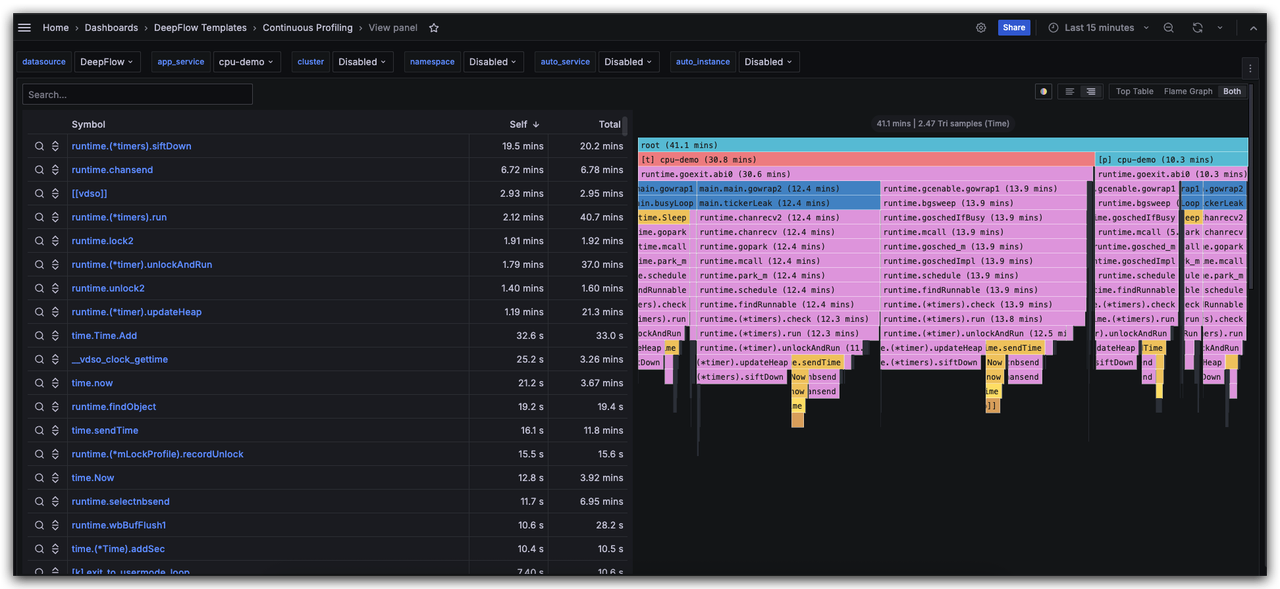
DeepFlow Continuous Profiling
Step 2 Inject the git_commit_id label into the Pod
To enable performance data queries based on the git commit id, you need to inject the git_commit_id label into the application Pod. In production environments, it is recommended to inject it automatically via the CI/CD process. In this tutorial, we use manual YAML modification as an example:
template:
  metadata:
    labels:
      git_commit_id: 7ea306a6dca26d54e65e350439cf8bd0d41c9482
2
3
4
Step 3 Configure DeepFlow MCP Server in Cursor
In the .cursor folder under the project directory, add a mcp.json file with the following content (the default MCP server port is 20080):
{
  "mcpServers": {
    "DeepFlow_Git_Commit_Profile": {
      "url": "http://$deepflow_controller_ip:20080/mcp",
      "headers": {}
    }
  }
}
2
3
4
5
6
7
8
Step 4 Open AI Chat in Cursor
In Cursor AI Chat, enter the commit id you want to analyze, and the AI will automatically retrieve the performance analysis report for that version. Note: Ensure that the application corresponding to that commit has been deployed in the DeepFlow monitoring environment and that performance profiling data has been collected.
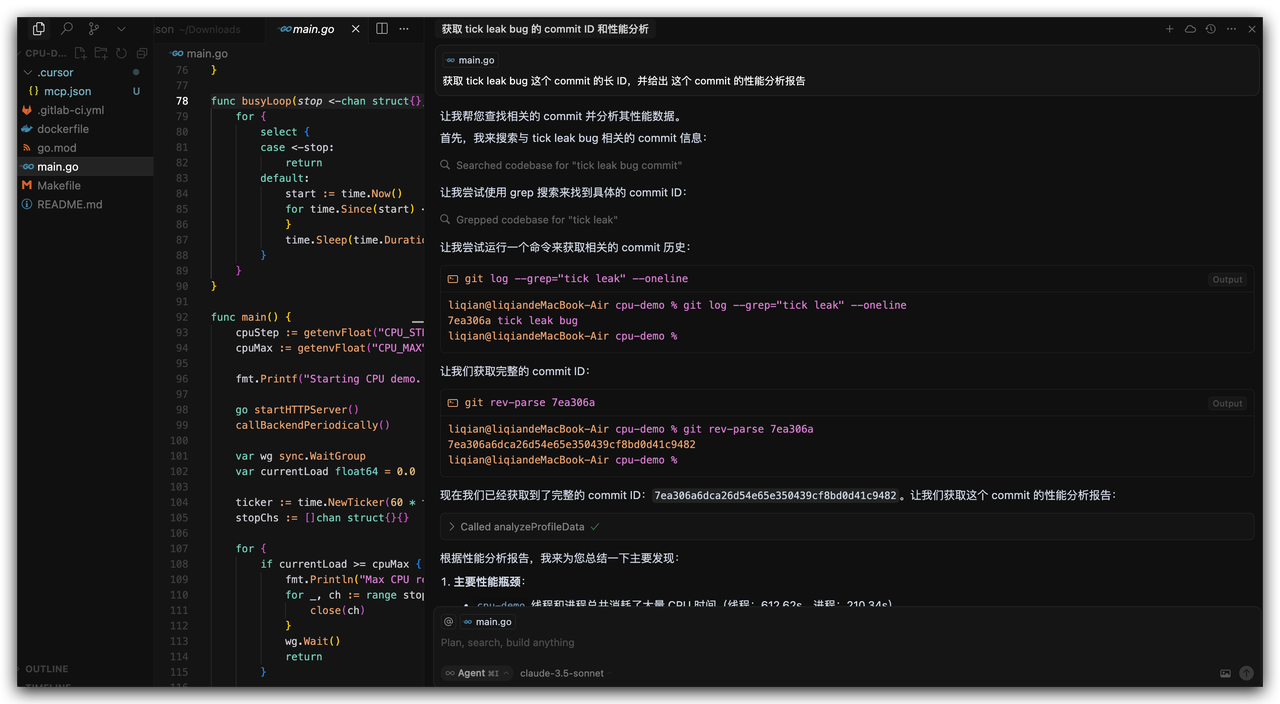
Cursor AI Chat